WiFi Analyzer – Speed Test App
💡 Project Idea
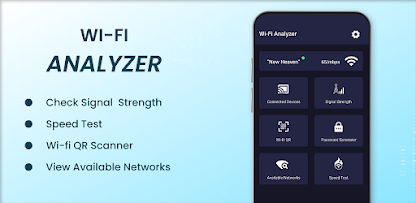
The goal was to create an intuitive app that allows users to analyze WiFi signals, run speed tests, detect intruders, and optimize router settings — all from a single interface. The app also includes a QR Scanner and Password Generator to enhance usability and security.
🧾 Client Requirements
- Platform: Android only (initial release)
- Key features requested:
- WiFi Signal Analyzer
- Internet Speed Test (Upload/Download)
- Device Scanner for network security
- QR Code Scanner & Password Generator
- User-friendly dashboards and graphs
- Completion deadline: within 10 weeks
📄 Documents & Technical Planning
- Functional flow diagrams and feature architecture
- API integration plan for speed test servers
- Permissions handling for location, network state, and camera
- Language: Dart (Flutter) for cross-platform readiness
- Dependencies: WiFi info, QR scan, speed test, and chart rendering plugins
🎨 Design / Prototype
Figma was used to design the app's layout and navigation:
- Clean, minimalist interface
- Dashboard-style home screen with signal strength indicators
- Graphs for signal fluctuation & speed test results
- Tabs for QR scan, network devices, and password tools
⚙️ Development
Tech Stack:
- Flutter (Dart) – Cross-platform app development
- Libraries Used:
wifi_info_flutterfor signal strength and channel infospeed_test_dartfor running speed testsflutter_barcode_scannerfor QR code scanningflutter_local_notificationsfor alerting usersnetwork_info_plusandping_discover_networkfor scanning connected devicesfl_chartfor real-time signal graphs
Core Modules:
- WiFi Signal Analyzer (strength, channels, quality)
- Speed Test Tool (ping, download, upload)
- QR Scanner for networks
- Device discovery for intrusion detection
- Secure password generator for WiFi/router use
🧪 Quality Assurance
- Manual and automated testing across Android devices
- Bug fixes for inconsistent signal readings and device discovery errors
- Optimized speed test functionality for low-speed networks
- Checked compatibility with both 2.4GHz and 5GHz bands
Performance Checks: - App load time < 3 sec
- Accurate signal fluctuation graphs
- Real-time updates and alerts for intruder detection
📲 Publish Platforms
- ✅ Android (Google Play Store)
- 🕐 iOS version planned for future update
- 🌐 Web dashboard support in roadmap
⚠️ Challenges Faced
- Handling real-time WiFi data refresh without battery drain
- Accurate speed test results from varying ISPs
- Permissions and OS-level restrictions on WiFi scanning in Android 10+
- UI optimization for devices with different screen sizes
- Securing sensitive user data during device scans
⏳ Development Timeline
Total Duration: ~10 Weeks
- Week 1–2: UI/UX design and technical setup
- Week 3–6: Core module development (WiFi, speed, scanner)
- Week 7: Advanced features (QR, password, device discovery)
- Week 8–9: Testing, bug fixes, performance enhancements
- Week 10: Play Store optimization, publishing, and analytics setup
💰 Estimated Cost & Server Requirements
- No external server required – all processes handled locally on device
- Cloud-Free to ensure privacy and reduce cost
- Estimated budget: $500 – $700
- Cost savings through Flutter reusability and minimal backend use
- 📲 Download Now on Play Store